The complete prompt
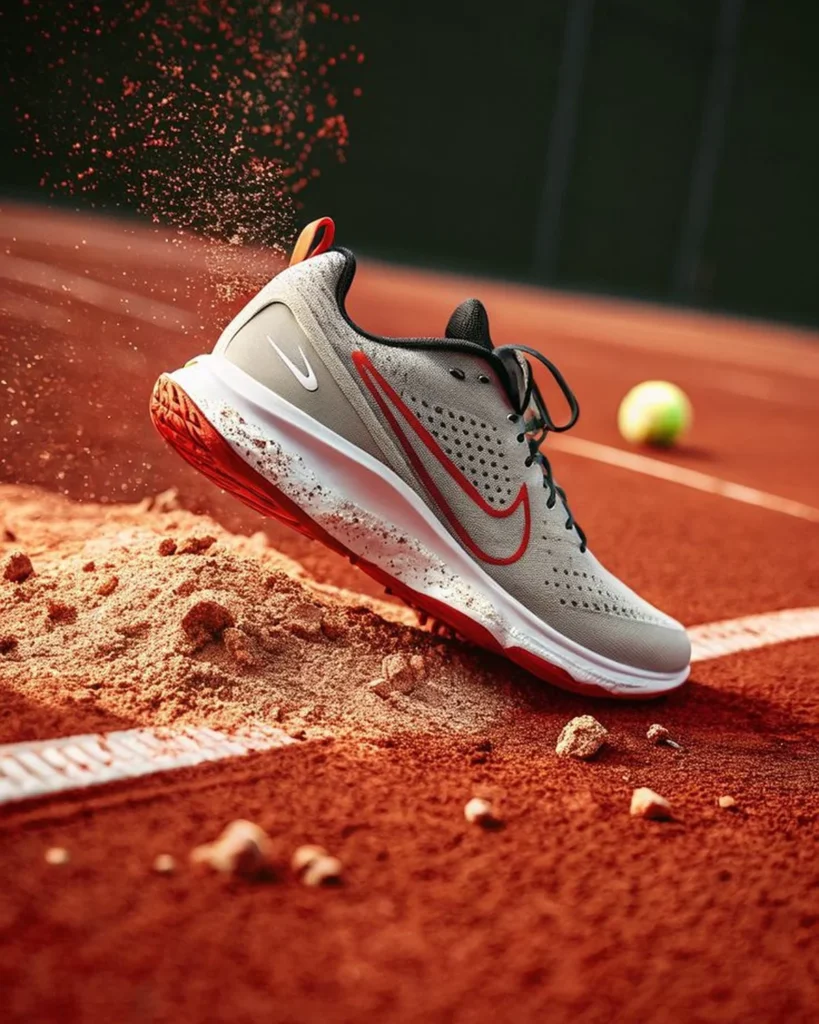
Create a dynamic premium product-advertising image featuring [YOUR PRODUCT] suspended just above a textured [SURFACE TYPE], captured at the exact moment of a forceful landing, slide or directional change during [SPORT OR USE CASE]. Position it in a dramatic three-quarter side view, tilted diagonally with the leading edge pointing toward the lower-right and the rear slightly elevated. Make the product large, dominant and perfectly sharp, with its functional underside, grip or contact surface clearly visible. Preserve the exact uploaded design, colour, material, logos, stitching, hardware and proportions. Create a realistic mound of loose surface material beneath and behind the product, then add an explosive spray of fine particles, fragments and debris rising through one side of the frame. Use a softly blurred [BACKGROUND ELEMENT] in the distance to establish context without competing with the hero object. Light the scene with warm late-afternoon sunlight, crisp edge highlights, natural shadows, glowing airborne particles and realistic dirt accumulation on only the contact areas. Use a low ground-level commercial-sports camera, shallow depth of field and frozen high-speed clarity. Photorealistic, tactile, cinematic, ultra-detailed, vertical 3:4.NEGATIVE PROMPTDistorted product, changed branding, excessive dirt covering details, unrealistic particle cloud, floating object, multiple background props, product blur, flat lighting, added text, arrows or watermark.
Illustrative visual reference selected from the saved archive, not a verified output of this exact prompt. References may show a different product or be shared across related directions.
How to use it
- Upload the exact product, dish, garment or model reference requested by the prompt.
- Replace bracketed variables with your own product details. Keep identity and packaging locks intact.
- Set the aspect ratio in your chosen tool; retain the camera, light and material directions.
- Review product accuracy, labels, anatomy and texture at full size. Refine one variable at a time.