The complete prompt
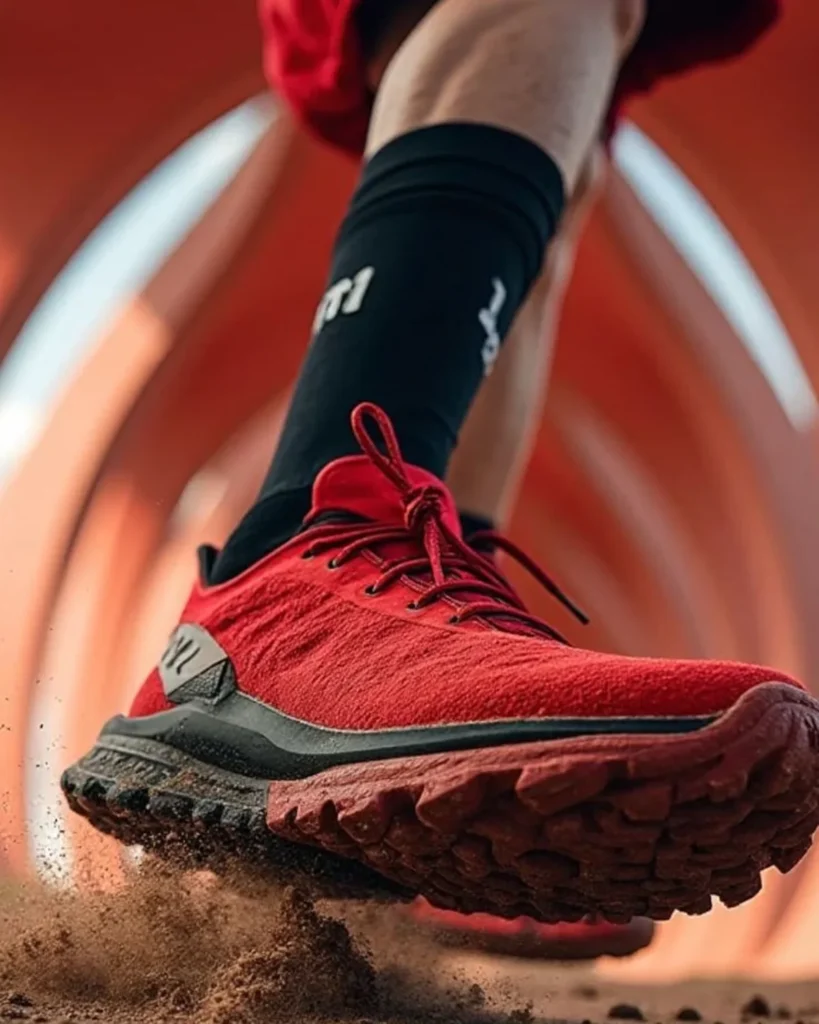
Create a high-energy performance campaign featuring [YOUR PRODUCT] being used by [ATHLETE DESCRIPTION] during [ACTION]. Use an extreme ground-level, low-angle close-up, with the product thrusting toward the camera and dominating the foreground. Show the athlete's lower leg extending diagonally upward through the frame for strong depth and forward momentum. Preserve the uploaded product exactly, including colourway, material construction, sole or functional surface, stitching, branding and proportions. Capture the precise instant the product strikes, grips or pushes away from the ground. Add believable flying dust, loose soil, small stones and debris scattering from beneath it, with realistic contact marks along the lower edge. Keep the product tack-sharp while allowing subtle motion blur on the moving leg and distant environment. Place the scene inside a futuristic curved tunnel or illuminated sports corridor with repeating arched light strips, colour graded around [DOMINANT COLOUR]. Use strong backlight, crisp rim light, volumetric haze and dramatic shadow separation. Show the product's underside or performance surface clearly. Premium athletic campaign, aggressive energy, wide-angle perspective distortion, realistic anatomy and physics, cinematic lighting, ultra-detailed, vertical 9:16.NEGATIVE PROMPTAltered sole, changed colourway, extra legs, malformed anatomy, floating foot, impossible contact, unrealistic debris, blurry hero product, cartoon style, credits, typography or watermark.
Illustrative visual reference selected from the saved archive, not a verified output of this exact prompt. References may show a different product or be shared across related directions.
How to use it
- Upload the exact product, dish, garment or model reference requested by the prompt.
- Replace bracketed variables with your own product details. Keep identity and packaging locks intact.
- Set the aspect ratio in your chosen tool; retain the camera, light and material directions.
- Review product accuracy, labels, anatomy and texture at full size. Refine one variable at a time.