The complete prompt
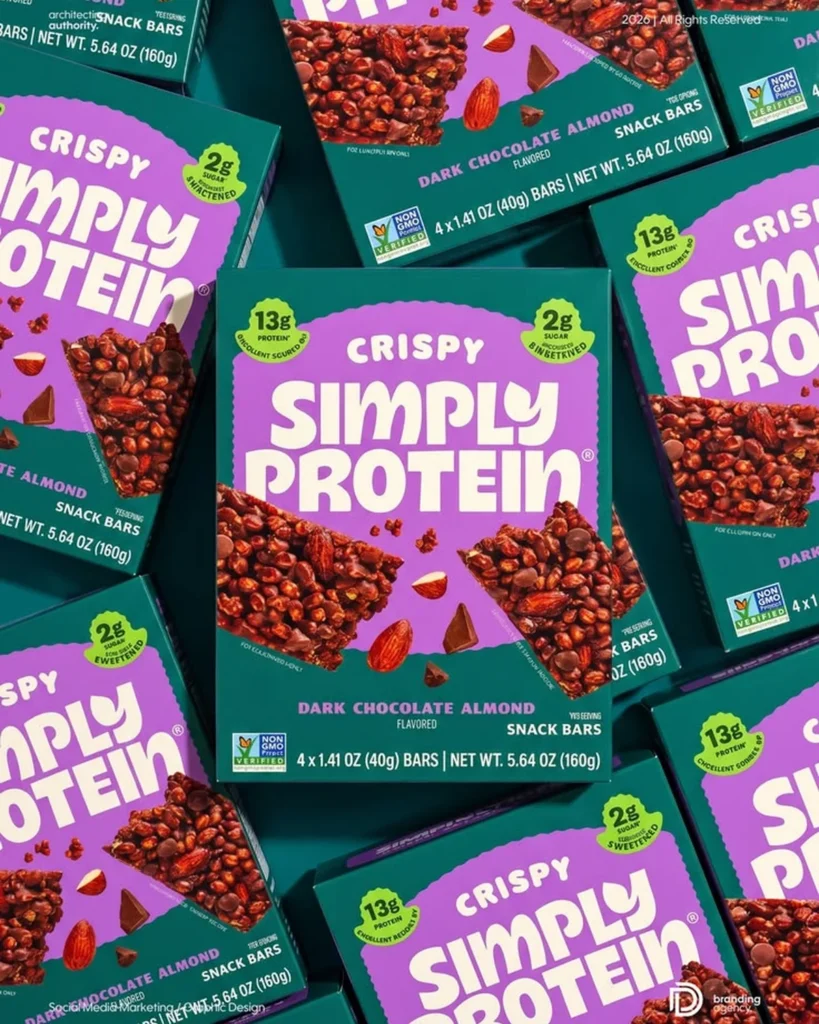
Create a bold premium packaged-product advertising image featuring multiple units of [YOUR PRODUCT] arranged in a dense, visually satisfying overhead flat lay. Place one main package fully visible and facing the camera in the centre. Surround it with additional packages entering from every edge, rotated at varied angles and partially cropped to form an energetic layered pattern. Preserve the exact packaging shape, proportions, colour blocking, logo, label artwork, typography already printed on the pack, product photography, icons and material texture. Do not redesign or rewrite the packaging. Use a seamless [BACKGROUND COLOUR] surface derived from the brand palette, visible only through narrow controlled gaps. Add realistic [KEY INGREDIENTS] and [PRODUCT PIECES] around the central package, positioned as if they naturally continue the package artwork into the physical scene. Use clean directional studio light, crisp edge highlights, controlled shadows between overlapping packs, rich colour saturation and sharp print detail across the entire frame. Straight overhead camera, edge-to-edge composition, precise arrangement, modern retail campaign, photorealistic packaging, ultra-detailed, vertical 3:4.NEGATIVE PROMPTMisspelled packaging, altered label, changed colours, fake logos, warped boxes, floating packs, damaged packaging, unrelated ingredients, blurry print, added headline, badge, caption or watermark.
Illustrative visual reference selected from the saved archive, not a verified output of this exact prompt. References may show a different product or be shared across related directions.
How to use it
- Upload the exact product, dish, garment or model reference requested by the prompt.
- Replace bracketed variables with your own product details. Keep identity and packaging locks intact.
- Set the aspect ratio in your chosen tool; retain the camera, light and material directions.
- Review product accuracy, labels, anatomy and texture at full size. Refine one variable at a time.