The complete prompt
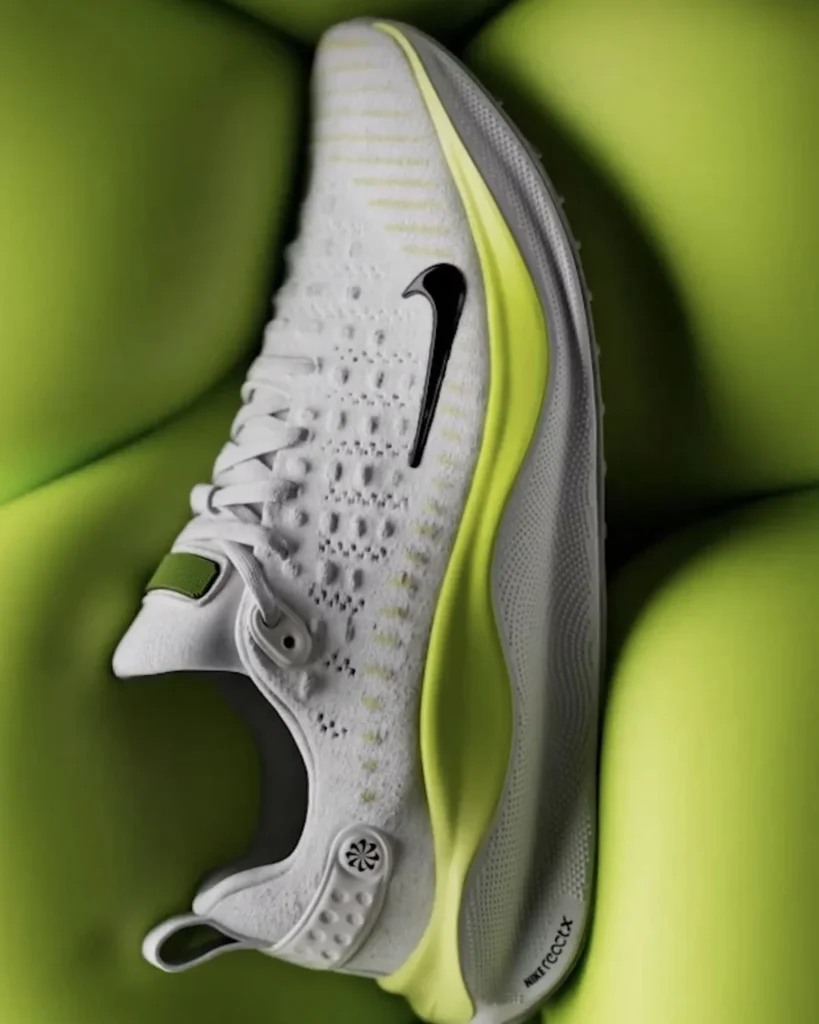
Create a premium futuristic advertising image featuring [YOUR PRODUCT] placed inside a soft sculptural environment made from oversized padded cushions. Position the product diagonally across the centre, showing a clean three-quarter side view and revealing its full silhouette, material construction and important functional details. Preserve the uploaded product exactly, including original shape, colours, logo, printed branding, panels, texture, stitching, closures, sole, cap or hardware. Surround it with large rounded cushion forms that gently cradle and compress around the product. Match the environment to [ACCENT COLOUR] for a coordinated monochromatic brand look. Use smooth [CUSHION MATERIAL] surfaces with visible seams, rounded edges and subtle realistic compression at contact points. Light from the upper-left with bright highlights across the product, deep soft shadows between cushions, restrained rim light and realistic micro-texture. Use a close-up editorial composition and shallow depth of field, keeping the product perfectly sharp while the nearest and farthest cushion forms soften gently. Futuristic, tactile, comfortable and premium, photorealistic, ultra-detailed, vertical 3:4.NEGATIVE PROMPTAltered colours, distorted proportions, product hidden by cushions, excessive deformation, floating object, incorrect branding, invented parts, blurry hero product, plastic fabric, people, hands, typography or watermark.
Illustrative visual reference selected from the saved archive, not a verified output of this exact prompt. References may show a different product or be shared across related directions.
How to use it
- Upload the exact product, dish, garment or model reference requested by the prompt.
- Replace bracketed variables with your own product details. Keep identity and packaging locks intact.
- Set the aspect ratio in your chosen tool; retain the camera, light and material directions.
- Review product accuracy, labels, anatomy and texture at full size. Refine one variable at a time.