The complete prompt
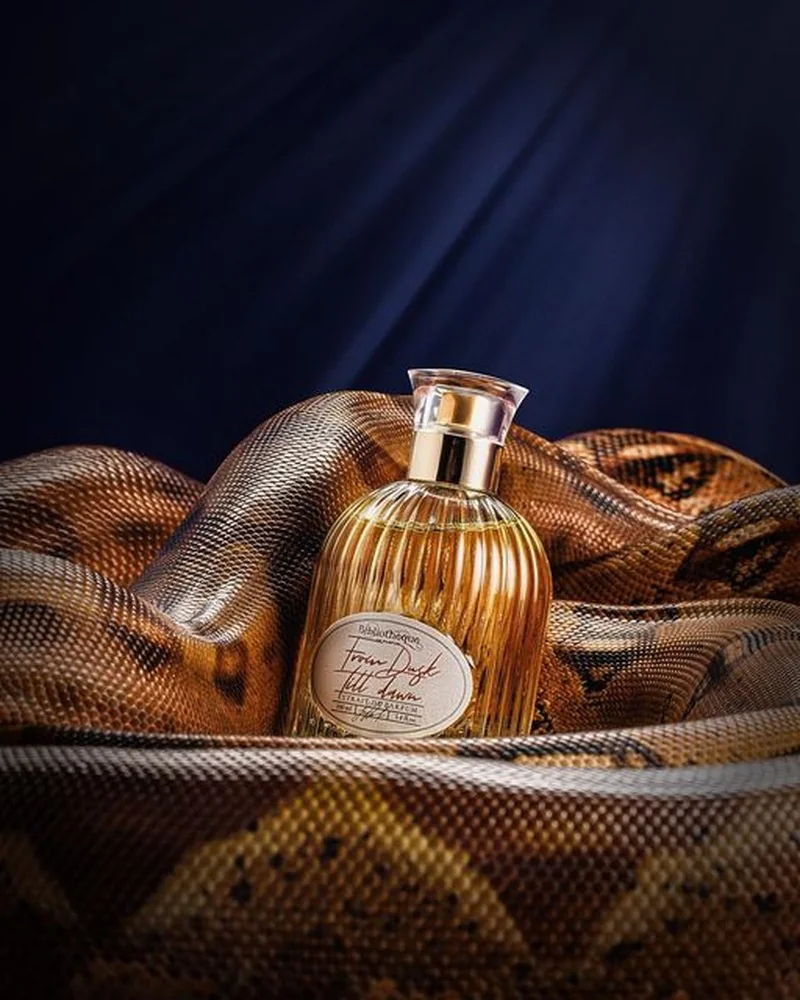
Create a premium luxury advertising image of [YOUR PRODUCT] standing upright at the centre of the composition, surrounded by the large flowing coils of a photorealistic [SNAKE SPECIES OR PATTERN]. The snake body should form elegant sculptural waves around the product, with layered coils in the foreground and background that naturally frame the packaging without covering its logo, label, cap, pump, or important details. Use a dark [BACKGROUND COLOR MATCHING THE PRODUCT] studio backdrop with subtle fabric-like texture and dramatic diagonal light rays falling from the upper right. Illuminate the product with controlled highlights, rich reflections, and soft rim lighting, while revealing the snake's intricate scales and natural colour variations. Derive the background, light tint, and snake accent tones from the product's own palette so the entire scene feels cohesive. Keep the product perfectly sharp, accurately proportioned, and slightly brighter than the surroundings. Maintain the exact original product shape, bottle material, colour, cap, pump, logo, label layout, and readable label text. Do not redesign, enlarge, or deform the packaging. High-end fragrance campaign photography, sophisticated editorial styling, realistic depth, cinematic shadows, shallow depth of field, 85mm lens, ultra-detailed scales, and 8K photorealism. No hands, no model, no additional products, no flowers, no added typography, and no watermark. Vertical 4:5 aspect ratio.
Illustrative visual reference selected from the saved archive, not a verified output of this exact prompt. References may show a different product or be shared across related directions.
How to use it
- Upload the exact product, dish, garment or model reference requested by the prompt.
- Replace bracketed variables with your own product details. Keep identity and packaging locks intact.
- Set the aspect ratio in your chosen tool; retain the camera, light and material directions.
- Review product accuracy, labels, anatomy and texture at full size. Refine one variable at a time.